The name lives in three places, and you see only one
Locally no device has the name it has in the account, the firmware stores no umlauts — and the display hid the house power because of a setting in the cloud.
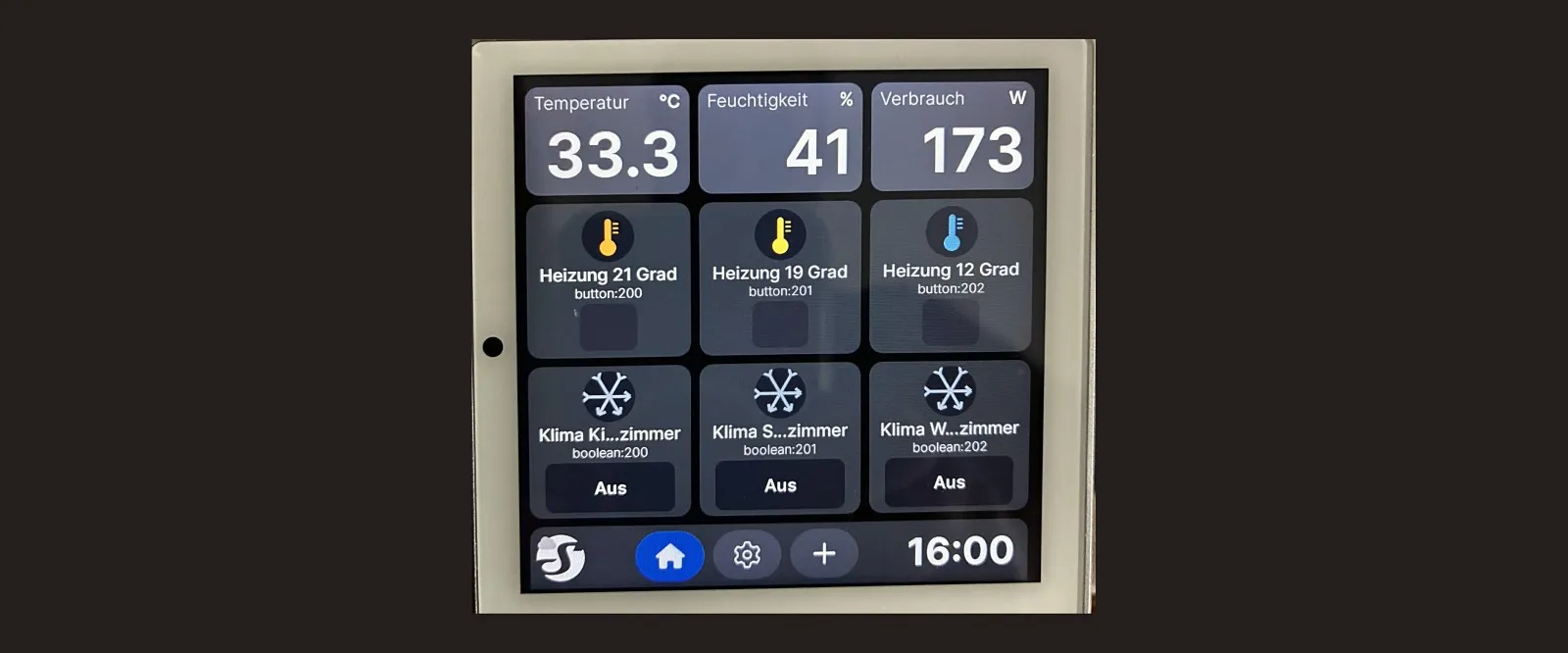
A device in the house does not have one name. It has up to three: one on the device, one in Home Assistant, and one in the manufacturer’s account — Shelly, in my case.
As long as all three read the same, nobody notices. But they do not stay the same — and the place you happen to be looking at is almost never the one where the answer is.
First: locally no device has a name
Sixteen Shelly devices hang in this house, all neatly named. In the app, at least.
Queried locally, not a single one had a name. All of them ran under their factory identifier. The names exist exclusively in the Shelly account.
For a local integration that means: the devices arrive nameless, as letter-and-number combinations.
There are two routes, and one is better:
| Route | Consequence |
|---|---|
| name them locally first | the name is where the device is |
| rename in Home Assistant afterwards | the name is only where you happen to be looking |
The first route is the cleaner one, for a single reason: whoever stands in front of the device in two years and opens its web interface reads the right name there — not a factory identifier.
Second: the firmware does not store umlauts
This is measured, not assumed. A name containing ö was sent to a device —
demonstrably as ö — and came back as:
Heizk?rperThe question mark is the Unicode replacement character. The firmware stores no non-ASCII in the device name. It does not report that as an error; it accepts the name and silently mangles it.
So the devices carry Heizkoerper Schlafzimmer and Licht Huetterl. Anyone who
wants the umlauts renames in Home Assistant — they work there.
That is the point at which the three names inevitably diverge, and they diverge deliberately rather than through carelessness. That is the whole difference.
Third: the area writes along
When creating an entity, Home Assistant likes to prefix the area. A door contact thus turned into a name with corridor and hallway inside it.
That is not wrong, but it adds up: area, device, entity, each with repetitions. Pulled back to something readable, because with a door contact “on” means open — and if the name does not convey that, you build the condition the wrong way round.
And then the display that hid the house power
The question was simple: the wall panel shows a power figure in the top right. Why not the whole house’s? Panel and house meter hang in the same room.
Claude queried the local interface and arrived at a clear result:
available display elements   temperature, humidity, clock
configuration                no occurrence of power, room or consumption
key store                    empty
system configuration         no room setting
The conclusion: not possible.
Every one of those measurements is correct. The conclusion was wrong anyway.
The answer came from me, and it was in the app: the house meter had “exclude from the room’s energy” set. So the panel’s room display had deliberately skipped the meter.
As a default that even makes sense. A meter at the house connection measures everything consumed in the house. Were it counted into the room total, the room it happens to hang in would show the whole house twice — including everything from other rooms.
For a meter in the room, excluding is right. For the house meter that happens to hang in the room with the panel, it is exactly wrong.
“Not present in the local interface” does not mean “does not exist” — not on a device demonstrably attached to the Shelly cloud, whose settings you cannot see locally.
Both devices dutifully reported connected: yes when asked. That one line should
have been enough to call the search incomplete.
What I’d suggest
- Name devices locally, not just in Home Assistant. The name belongs where the device is — for the day somebody else is standing in front of it.
- Check whether your device stores umlauts at all. It will not tell you that it discards them.
- Pull back area prefixes, especially on sensors whose state has to be read the right way round.
- With cloud devices, do not query only the local interface. What is missing there may be in the app — and the app is the truth, not your query.
- Treat
connected: yesas a warning. It means there is a second place where something can be configured, and you cannot see it.
So what?
Three names for one device are not a flaw in the setup. They follow from three systems managing the same thing — the manufacturer, your home, and you.
It does not get unpleasant when they diverge, but when you forget that there are three. Then you ask one place, get a complete and correct answer, and take it for the whole.
That is exactly what happened with the panel. Four queries, four correct results, one wrong conclusion — and the solution was a setting the local interface does not carry at all, because the search had been at the wrong end.
If you want to follow this: use RSS
No newsletter. You give me no address, I keep no list, and nobody has to agree to anything to learn that an article is finished. RSS is the older and, for both sides, the more honest solution.
How it works, and why no newsletter
- 1Get a feed reader. No account needed with an app on your phone or a browser extension; use a hosted service if you prefer.
- 2Add the address above to it.
- 3Done. New articles turn up in your reader by themselves — unread stays unread, and nothing lands between invoices and ads in your inbox.
Why that is better: your reader fetches the file. I get no address and cannot see who reads or whether anyone opened it. Unsubscribing means deleting the entry — no link, no confirmation mail, no me.