Port 554 stays closed — and that is not a fault
The new Tapo camera would not integrate. The reason is a protocol change you will need again at your next purchase — and that nobody prints on the box.
A new Tapo TC82 for the balcony in Merano. Well-known manufacturer, current
model, and the matching integration (tplink) ships with Home Assistant.
It still would not integrate.
The reason is a protocol change printed on no box — and knowing it saves you a whole evening at your next camera purchase.
The short version
Newer Tapo cameras stream over TCP on port 8800, not over RTSP.
Everything that otherwise misleads you follows from that:
- Port 554 stays closed. Looking for a stream there means looking for something that does not exist. That is not a defect and not a firewall.
- There is no “camera account” to set up. Every guide online asks for one. The option is absent from the app because the associated protocol is no longer used.
- The built-in integration fails with an error that looks like credentials and is not.
So you spend hours hunting a password for a service the device does not offer.
The false trail, and what ended it
The troubleshooting ran in exactly the wrong direction: check credentials, create the account again, update firmware, examine the network.
What ended it was a port scan. Port 554 closed, port 8800 open. From that moment it was clear the problem was not the login but the assumption about the protocol.
If the login fails three times, check whether the service is there at all before trying a fourth password.
The solution is the HACS integration JurajNyiri/HomeAssistant-Tapo-Control,
which speaks this protocol via pytapo. It then
delivers everything at once: live view, motion and person detection, siren,
spotlight, night vision and access to the card in the device.
Live view for devices that offer no stream
For display in the dashboard one more step is needed — a converter turning the manufacturer’s own protocol into an ordinary stream.
That is the part worth knowing before buying: a camera without RTSP needs an additional component in Home Assistant. It works perfectly afterwards, but it is one more part to set up and maintain.
One detail that cost me time: one stream per camera. The obvious route of routing them all through a shared path does not work reliably. Separate streams are more configuration and stable in return.
Three quirks you only find by measuring
The camera account has to be set twice. Once is not enough — after the first setup the state is incomplete without any error appearing anywhere.
Do not reload this integration’s entries. A reload does not bring the devices back cleanly; the way is a restart.
The motion sensor only comes into existence at the first motion. Before that the entity does not exist — and it does not survive a restart.
The last point is more than a curiosity. It later cost me a witness in a completely different investigation: I wanted to know whether somebody had been in the flat, and all the motion sensors read “unavailable”. They were no use as evidence either for or against.
An entity that only comes into existence through an event cannot prove the absence of the event.
Battery cameras wake on command
That is the pleasant surprise. I had expected battery-powered devices to respond only on their own schedule.
Measured: 2.4 seconds from command to answer. A snapshot on request is therefore no problem, although the camera sleeps most of the time.
That is the opposite of my experience with battery-powered outdoor cameras from Blink in Kapfenberg, where exactly this does not work reliably. Same category, completely different behaviour — another argument for looking at the model rather than the genre before buying.
And the doorbell only films when rung
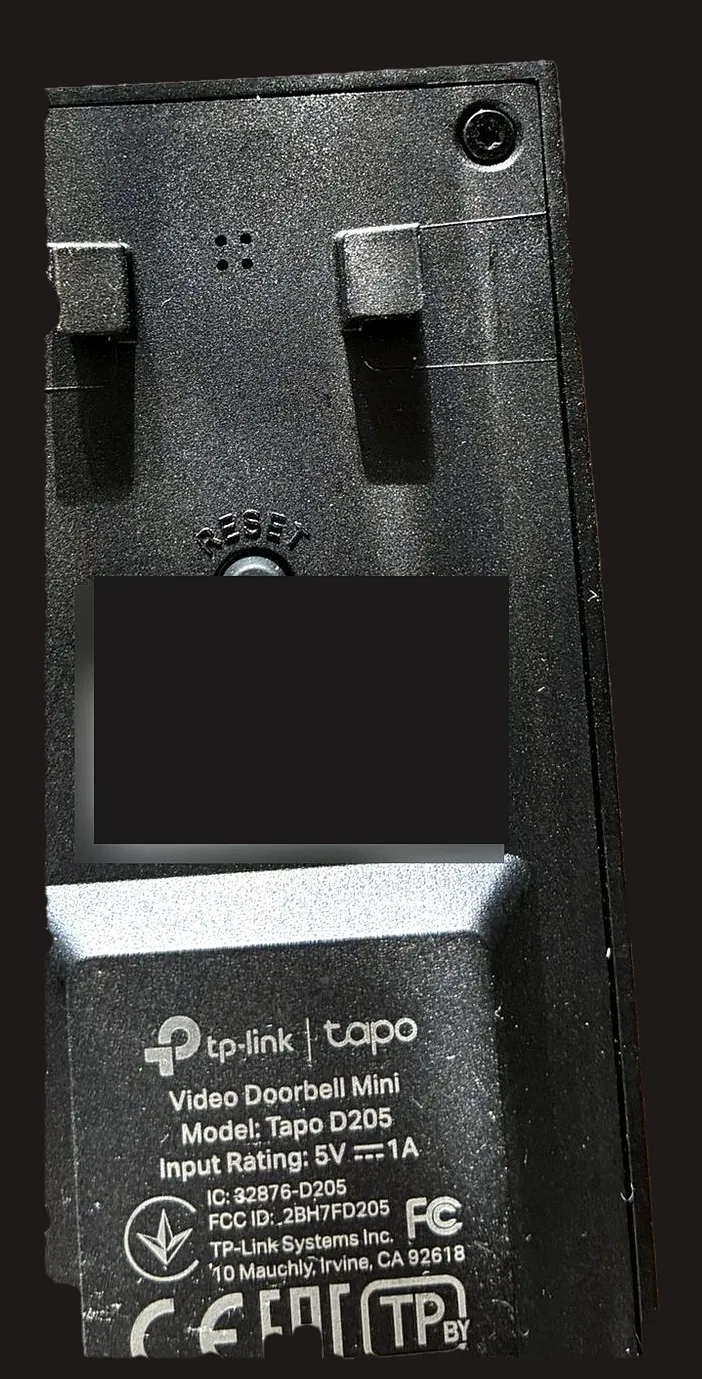
The doorbell before mounting. That it only records when rung is on none of these faces — you find out in use.
The property that occupied me most is not a malfunction but a TP-Link decision: the doorbell only records when somebody rings. Motion alone triggers no recording.
For anybody expecting gapless surveillance of their front door that is a disappointment. For running a flat that other people come in and out of, it is rather an advantage: no footage is created of neighbours merely walking past.
I write it down because it is exactly the kind of property you discover after buying and then experience as a shortcoming — although, depending on your view, it is the opposite.
What I would advise before buying
- Do not ask “does it have RTSP”, check it. On newer models the answer is increasingly no, and the product page says nothing about it.
- Expect an additional component. Without RTSP the live view needs a converter. That is solvable, but it is work and one more part in the setup.
- Check when the device records. On ringing, on motion, continuously — those are three different products under one name.
- Do not expect an entity before the event has occurred. Building on motion sensors means building on something that vanishes at every restart.
- Judge the model, not the brand. Two battery-powered outdoor cameras from different manufacturers behave in opposite ways here.
So what?
The camera is good, and it does everything it should. Getting there still took an evening, and it would have taken twenty minutes if anywhere it had said that this model no longer speaks RTSP.
That is the real annoyance with smart home purchases: the technology is not too complicated, the decisive property is simply written nowhere. Port 554 closed is not a fault — but you have to work out first that it is not one.
If you want to follow this: use RSS
No newsletter. You give me no address, I keep no list, and nobody has to agree to anything to learn that an article is finished. RSS is the older and, for both sides, the more honest solution.
How it works, and why no newsletter
- 1Get a feed reader. No account needed with an app on your phone or a browser extension; use a hosted service if you prefer.
- 2Add the address above to it.
- 3Done. New articles turn up in your reader by themselves — unread stays unread, and nothing lands between invoices and ads in your inbox.
Why that is better: your reader fetches the file. I get no address and cannot see who reads or whether anyone opened it. Unsubscribing means deleting the entry — no link, no confirmation mail, no me.
Related
A guessed wait is not a check
The lock needs 38 seconds; my automation waited 20. The second command hit the motor mid-travel — and took the confirmation down with it.
Both came home — and the automation said nothing
Unlocking the door was supposed to produce a photo. None appeared. The trigger was waiting for a state change this lock never makes.
Two water valves, and the shut-off is not the device's job
Hot water rules out almost every metering valve. Which one was left, what speaks against it — and why opening has two brakes while closing has none.